Node2Shell (CVE-2026-111497): Critical Node.js Security Vulnerability Patched in Eenos
Security Advisory | CVSS 9.2 Critical | Remote Code Execution Vulnerability
Security vulnerabilities in application runtimes can put entire hosting environments at risk, particularly when applications process data from untrusted sources.
On October 21, 2026, the Node.js project released important security updates addressing several vulnerabilities, including CVE-2026-111497, commonly known as Node2Shell.
The vulnerability affects the Brotli decompression decoder used by Node.js and can potentially allow attackers to execute arbitrary code through specially crafted compressed data.
With a CVSS v4.0 score of 9.2 (Critical), this issue deserves immediate attention from Node.js developers, system administrators, web hosting providers, and businesses running Node.js applications.
Eenos has already released updated Node.js runtime packages containing the security patches. Users are strongly encouraged to upgrade their applications to the latest patched versions.
In this article, we explain what Node2Shell is, how the vulnerability works, which Node.js versions are affected, and how Eenos simplifies security updates while supporting multiple Node.js applications and versions on the same hosting server.
Looking for the PHP2Shell Security Fix?If you are looking for information about the PHP2Shell vulnerability and security updates, please refer to our dedicated article: PHP2Shell Security Vulnerability – Eenos PHP Security Updates.
What Is Node2Shell (CVE-2026-111497)?
Node2Shell is the name associated with CVE-2026-111497, a memory corruption vulnerability involving the Brotli decompression decoder used by Node.js.
Brotli is a widely used compression algorithm designed to reduce the size of data transferred between applications and servers. It is commonly used for HTTP responses, API communication, and other compressed data streams.
The vulnerability exists in the underlying Brotli decoder, where maliciously constructed compressed input can trigger an out-of-bounds memory write.
Normally, software should write data only within the memory allocated for a particular operation. An out-of-bounds write happens when the program writes data beyond those boundaries, potentially damaging adjacent memory.
Under certain conditions, attackers can exploit this type of flaw to interfere with application execution, cause crashes, access sensitive information, or execute arbitrary code.
The Node.js security team classified CVE-2026-111497 as a High-severity vulnerability in its October 21 security release. The published CVSS v4.0 assessment rates it Critical, with a score of 9.2 out of 10.
How Does the Node2Shell Vulnerability Work?
At the center of Node2Shell is a problem in the way certain Brotli-compressed data is decoded.
Brotli compression is widely used throughout the web to reduce bandwidth consumption and improve performance. Although compression itself is not dangerous, a vulnerable decompression implementation can become an attack surface.
A potential attack follows this general sequence:
- An attacker prepares specially crafted Brotli-compressed data designed to trigger the decoder vulnerability.
- The malicious compressed content reaches a Node.js application that processes it using a vulnerable Brotli decoder.
- During decompression, the decoder performs an out-of-bounds memory write.
- Memory corruption can disrupt the application's normal execution.
- Depending on the affected environment and exploit conditions, the attacker may cause a crash or achieve arbitrary code execution.
This is more serious than an ordinary application error. A successful remote code execution attack may allow malicious operations to run with the permissions of the vulnerable Node.js process.
Is Remote Code Execution Actually Possible?
Yes. Security researchers from Imperva published technical research on October 22, 2026, demonstrating remote code execution against a vulnerable official Node.js build.
Their testing showed that crafted Brotli data could trigger code execution in specific application configurations. The researchers also confirmed that their tested payloads were rejected by the patched Node.js release.
This demonstrates why the issue should not be treated as merely a theoretical memory corruption bug.
However, not every Node.js application is automatically exploitable. The actual risk depends on whether untrusted compressed input can reach the vulnerable decoder and on the application's runtime and deployment environment.
Even applications that do not explicitly implement Brotli decompression should review dependencies and frameworks that may process compressed data internally.
Which Node.js Versions Are Affected by Node2Shell?
The October 21, 2026 Node.js security updates cover the supported Node.js 22.x, 24.x, and 26.x release lines.
The following versions contain the upstream security fix:
Node.js Release: LinePatched Version
Node.js 22.x 22.23.4
Node.js 24.x 24.22.1
Node.js 26.x 26.12.1
Users running older vulnerable builds within these release lines should upgrade to the patched release or a newer security-maintained release.
Node.js versions that have reached end of life should also be migrated to supported versions. End-of-life releases no longer receive standard upstream security maintenance.
Important: Updating an application dependency through npm is not necessarily sufficient to fix this vulnerability. Because Node2Shell affects the native Brotli decoder used by Node.js, the runtime itself must contain the appropriate security fix.
Eenos Has Released Patched Node.js Runtime Packages
At Eenos, we understand the importance of delivering timely runtime security updates, especially for environments hosting multiple websites and applications.
Following the disclosure of Node2Shell, we have released updated Node.js runtime packages incorporating the relevant security patches.
These updates allow Eenos server administrators and hosting users to move their applications to patched Node.js runtimes.
We strongly recommend that all users review their currently selected Node.js versions and upgrade to the latest patched release available for their applications.
Installing an updated runtime package and switching an application's selected runtime are separate steps. Applications should be checked to ensure they actually run on the patched binary, and affected processes should be restarted as required.
For production environments, we also recommend testing application compatibility before completing any major-version migration.
Why Updating Your Node.js Runtime Matters
A vulnerability affecting a widely deployed runtime can have consequences beyond a single application.
A compromised application may expose stored credentials, API secrets, database connections, application data, or other resources accessible to its process.
Keeping runtimes updated reduces exposure to known vulnerabilities and helps maintain a more reliable hosting environment.
Security updates should therefore be considered part of regular application maintenance, not something to address only after an incident.
How Does Eenos Support Multiple Node.js Versions?
Not every application running on a hosting server uses the same Node.js version.
One application may depend on Node.js 22, while another may require Node.js 24. A newer project may already be compatible with Node.js 26.
Requiring every application on a server to use a single Node.js version can create unnecessary compatibility problems.
Eenos addresses this challenge by supporting multiple Node.js runtime versions and allowing users to select the appropriate version for individual applications.
With Eenos, hosting providers can offer several Node.js runtimes on the same server, enabling developers and customers to deploy applications according to their requirements.
This is especially useful for shared hosting, agencies, SaaS providers, and development teams managing projects with different framework dependencies.
1. Server Administrators Manage Node.js Runtimes
Eenos provides a centralized Node.js runtime management interface through its Web Administration Panel (WAP).
Administrators can manage the available Node.js runtime environment and configure the Node.js options provided to hosting users.
This separates server-level runtime management from individual application deployment.
Explore the Node.js administration interface:
Eenos Admin Demo – Node.js Settings
2. Users Select a Node.js Version for Their Application
Through the Eenos User Control Panel (UAPP), hosting users can deploy and manage Node.js applications without having to manually configure the entire server environment.
During application deployment, users can choose an available Node.js runtime version that meets their project's compatibility requirements.
For example, a hosting account could run:
- An existing Express application using a patched Node.js 22 runtime.
- A production API using a patched Node.js 24 runtime.
- A newer development application using a patched Node.js 26 runtime.
These applications can coexist on the same server while using different selected runtime versions.
Explore the Node.js application management interface:
Eenos User Demo – Node.js Applications
3. Independent Application Environments
Eenos supports sandboxed Node.js application deployment, helping applications maintain separate environments, dependencies, and configurations.
This is valuable when hosting multiple applications with different technical requirements.
For example, upgrading one application to a newer Node.js release does not require every other application to switch to that same version.
Independent application environments improve manageability and reduce the potential for dependency conflicts.
However, application isolation is not a substitute for security patching. Even isolated applications should use supported and fully patched runtimes.
4. Simplified Application Deployment
Eenos provides an interface for deploying Node.js applications, including runtime selection, application configuration, and dependency management.
Its deployment workflow can handle tasks such as preparing the application environment, configuring application startup, and integrating the application with the hosting web server.
This allows developers to focus on their application rather than manually preparing every component of their hosting environment.
5. Greater Flexibility During Security Upgrades
Security issues such as Node2Shell demonstrate the importance of flexible runtime management.
Consider a hosting server running several Node.js applications developed at different times.
Without multi-version support, moving the entire server to a different major runtime version could cause avoidable compatibility issues.
With Eenos, administrators can make patched runtimes available while application owners review and update individual projects.
For supported release lines, applications can move directly to patched maintenance versions. Applications relying on end-of-life Node.js versions should be migrated to a supported release after appropriate compatibility testing.
This provides a more practical way to coordinate security maintenance across multiple applications.
How to Protect Your Node.js Applications from Node2Shell
If you are running Node.js applications, we recommend taking the following actions.
Step 1: Review Your Node.js Runtime Versions
Identify which Node.js versions are installed on the server and which runtime is selected by each deployed application.
Pay particular attention to applications using Node.js 22.x, 24.x, or 26.x versions released before the October 21, 2026 security updates.
Also identify applications using unsupported Node.js release lines.
Step 2: Upgrade to a Patched Node.js Version
Update your Eenos Node.js runtime packages using the server's supported package update mechanism.
For the affected supported release lines, the minimum patched versions are:
- Node.js 22.23.4
- Node.js 24.22.1
- Node.js 26.12.1
Where possible, prefer the latest security-maintained release compatible with your application.
Step 3: Verify the Runtime Selected by Each Application
After updating runtime packages, review the Node.js version configured for each application.
Make sure applications are using the patched runtime rather than continuing to execute an older binary.
A patched version being installed on a server does not automatically guarantee that every running application has switched to it.
Step 4: Restart Affected Applications
Restart or redeploy applications as necessary to ensure their processes load the patched Node.js runtime.
For production systems, schedule these changes appropriately to minimize service interruption.
Step 5: Test Application Compatibility
Verify that applications continue to function correctly after updating.
Check application startup, API endpoints, dependency compatibility, and application logs.
Updates within the same supported Node.js release line generally involve fewer compatibility changes than migrating between major versions, but testing is still recommended.
Step 6: Keep Runtimes and Dependencies Updated
Runtime security is only one part of maintaining a secure application.
Keep npm dependencies, application frameworks, operating system packages, and server components updated as well.
Where applications or dependencies use their own copies of Brotli, those components should also be reviewed for exposure to CVE-2026-111497.
Why Multi-Version Node.js Hosting Matters for Security
Multiple runtime support is often described as a developer convenience, but it also plays an important role in managing software maintenance.
Developers may need time to verify compatibility with a new major Node.js release. Hosting providers, meanwhile, need to respond quickly to vulnerabilities without unnecessarily disrupting unrelated applications.
A control panel that supports multiple runtime versions can help balance these requirements.
Eenos allows different projects to use appropriate Node.js versions on the same server, making it easier to plan upgrades on an application-by-application basis.
This flexibility becomes particularly useful when managing customer applications across a shared hosting platform or large hosting infrastructure.
The goal should always be to keep every deployed application on a supported, patched runtime while maintaining the compatibility required for reliable operation.
Frequently Asked Questions About Node2Shell and Eenos
1. What is Node2Shell?
Node2Shell is the commonly used name for CVE-2026-111497, a vulnerability in the Brotli decompression decoder used by Node.js. It can cause an out-of-bounds memory write and potentially lead to remote code execution.
2. What is the CVSS score of CVE-2026-111497?
CVE-2026-111497 has a CVSS v4.0 score of 9.2 out of 10, classified as Critical. The official Node.js security advisory classifies the vulnerability as High severity.
3. Which Node.js versions fix Node2Shell?
Node.js 22.23.4, 24.22.1, and 26.12.1 contain the security fix for their respective release lines. Users should install these versions or newer patched releases.
4. Has Eenos released a fix for Node2Shell?
Yes. Eenos has released updated Node.js runtime packages incorporating the security patches for CVE-2026-111497. Users should update their installed runtimes and ensure their applications are running the patched versions.
5. Can Node2Shell allow remote code execution?
Yes. Under exploitable conditions, specially crafted Brotli-compressed data can trigger memory corruption and potentially allow remote code execution. Security researchers have demonstrated exploitation against a vulnerable Node.js build.
6. Does every Node.js application have this vulnerability?
Not every application is necessarily exploitable. Exposure depends on the Node.js runtime, whether vulnerable Brotli decompression is reachable, and the way the application processes untrusted data. Nevertheless, all vulnerable installations should be updated.
7. Can I host multiple Node.js versions with Eenos?
Yes. Eenos supports multiple Node.js runtime versions on the same hosting server. Users can select an available runtime version for individual applications.
8. Can different applications use different Node.js versions on the same Eenos server?
Yes. For example, one application can use a patched Node.js 22 runtime while another uses Node.js 24 or Node.js 26, depending on its compatibility requirements and the versions available on the server.
9. How do I update my Node.js applications in Eenos?
First, ensure the patched runtime packages are installed on the server. Then review each application's selected Node.js version in the Eenos User Control Panel, restart the affected applications, and verify that they are running the patched runtime.
10. Does updating npm packages fix Node2Shell?
Not necessarily. Node2Shell affects the native Brotli decoder used by Node.js. Updating npm dependencies alone does not guarantee that the vulnerable runtime has been fixed. The Node.js runtime itself must contain the security patch.
11. Should I continue using an end-of-life Node.js version?
No. Unsupported Node.js versions do not receive normal upstream security updates. Applications using end-of-life releases should be migrated to a supported, patched version.
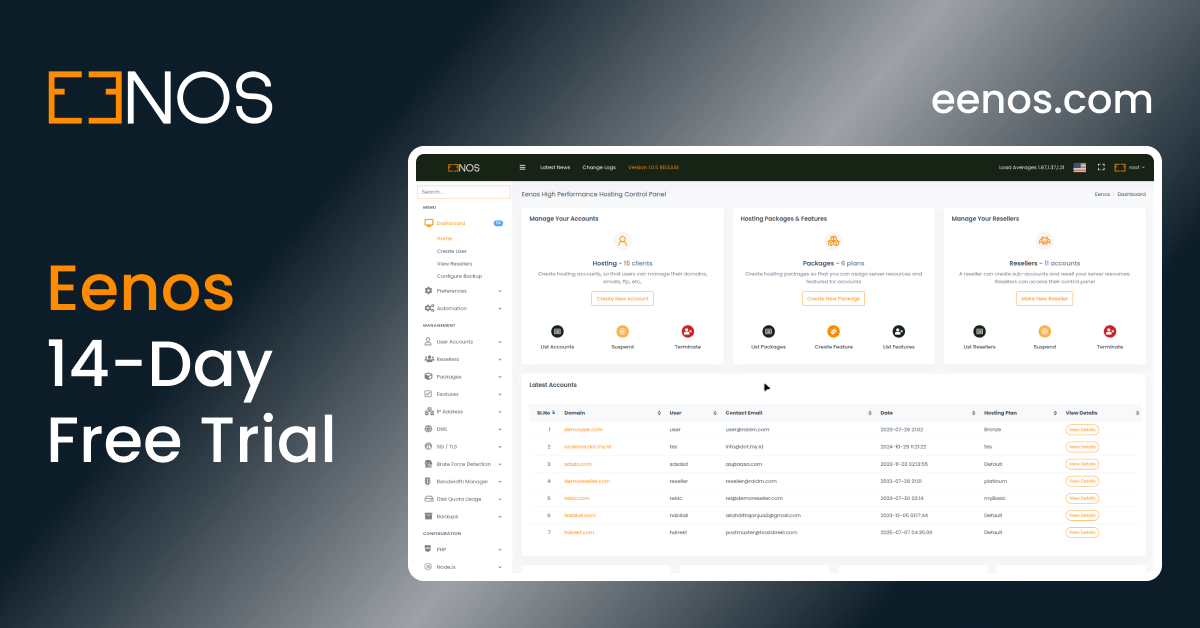
12. Where can I try Eenos Node.js application management?
You can explore the Eenos demo interfaces:
Conclusion: Update Your Node.js Applications and Stay Protected
Node2Shell (CVE-2026-111497) is an important reminder that security vulnerabilities can exist deep within the runtime components that modern web applications depend on.
With a CVSS score of 9.2 and demonstrated remote code execution potential, delaying available security updates can expose applications to unnecessary risk.
Eenos has already published patched Node.js runtime packages, and we strongly recommend upgrading to the latest security-maintained versions.
Our multiple Node.js runtime support makes it possible to manage applications with different version requirements on the same hosting server, providing developers and hosting providers with greater flexibility when deploying, maintaining, and upgrading their projects.
Keeping your applications secure starts with running supported and updated software.
Explore Eenos Node.js hosting: