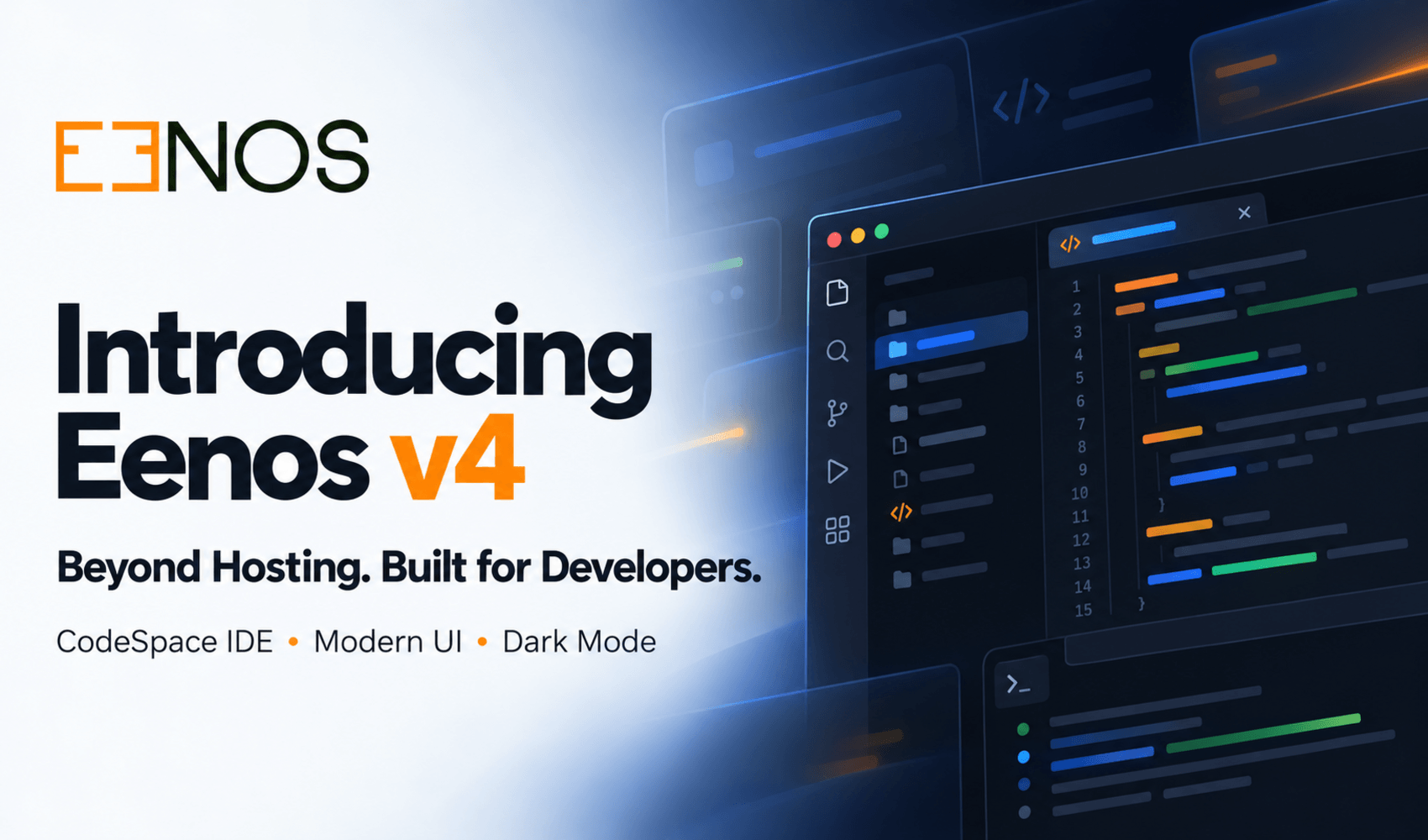
Introducing Eenos v4: Beyond Hosting. Built for Developers.
A smarter hosting control panel is here. Discover CodeSpace, our modern interface, dark mode, Debian 13 support, advanced email tools, and much more.
Web hosting has changed dramatically over the years. Today's hosting providers need more than a control panel that simply creates accounts, manages domains, and handles email. Developers expect better tools, administrators need greater visibility, and customers want an interface that makes everyday tasks easier.
At Eenos, we believe a modern hosting control panel should bring all these requirements together without adding unnecessary complexity.
That vision has shaped our newest major release.
We're excited to introduce Eenos v4, a significant evolution of the Eenos Web Hosting Control Panel. The first release in the v4 series, Eenos 4.0.1, introduces a new generation of features focused on developer productivity, modern hosting administration, user experience, and operational efficiency.
From CodeSpace, our integrated web-based development environment, to a redesigned interface with dark mode, advanced email management, resource monitoring, and expanded Linux compatibility, Eenos v4 is built to make hosting management more productive.
Whether you're running a web hosting company, managing reseller accounts, developing websites, or administering Linux servers, there's plenty to explore in this release.
Let's take a closer look at what's new.
Meet CodeSpace – A Paradise for Coders
Your Hosting Control Panel Is Now Your Development Workspace
One of the most exciting additions to Eenos v4 is CodeSpace, our new integrated web-based development environment.
Developers frequently need to modify configuration files, update application code, review website files, or make quick changes to a project running on a hosting server.
Traditionally, this involves switching between an external code editor, an FTP or SFTP client, a terminal, and a browser-based file manager.
CodeSpace aims to make that process simpler.
Built directly into the Eenos hosting control panel, CodeSpace brings a familiar development experience to the browser, allowing developers to work with their hosted files without constantly switching between applications.
Powered by Monaco Editor
CodeSpace uses Monaco Editor, the powerful editing technology behind Visual Studio Code.
This provides a modern source code editing experience with features designed to make working with application files more convenient.
CodeSpace highlights include:
- Modern Code Editor: Edit application files through an advanced browser-based editing interface.
- Syntax Highlighting: Work with source code that is easier to read and navigate.
- Integrated File Explorer: Browse project directories and locate files from an organized file tree.
- Multi-File Editing: Open multiple project files and switch between them using editor tabs.
- Code Formatting: Format supported source files for better consistency and readability.
- Integrated Workspace: Work with hosted files directly inside the Eenos control panel.
- Developer-Friendly Experience: Enjoy a familiar editor layout with convenient file management tools.
Why CodeSpace Matters
Imagine you're updating a website and need to make a quick correction to a configuration file or application template.
Instead of connecting through a separate file transfer application, opening an external editor, making the change, and uploading the file again, you can access CodeSpace directly from your hosting account.
For developers who regularly maintain hosted websites and applications, a more integrated workflow can make a meaningful difference.
CodeSpace is particularly useful for web developers, freelancers, hosting customers, and agencies managing multiple website projects.
We're bringing modern development tools closer to the place where your applications actually run.
CodeSpace isn't just another file editor. It's our vision of a more developer-friendly hosting experience.
A Completely Redesigned Interface – Modern, Clean, and More Intuitive
A Fresh Look for Everyday Hosting Management
A hosting control panel is something administrators and customers interact with regularly. From checking account information and managing domains to reviewing mail settings and maintaining applications, a good interface can make a real difference.
With Eenos v4, we've given the control panel a major visual and functional refresh.
The redesigned interface brings cleaner layouts, improved navigation, modern components, and a more consistent experience throughout the platform.
This modernization extends across all three major interfaces:
- Root Administration Panel (WAP): Server administration and hosting infrastructure management.
- Reseller Administration Panel (RAPP): Hosting account management for resellers.
- User Administration Panel (UAPP): Website, domain, application, and email management for hosting customers.
Introducing Dark Mode
Dark mode is one of the most requested interface conveniences in modern applications, especially among developers and administrators who spend long hours working on their systems.
Eenos v4 introduces a modern dark mode theme, offering an alternative to the traditional light interface.
Whether you're reviewing hosting settings late at night or working with application files, dark mode provides a more comfortable visual experience.
More Than a Visual Redesign
The improvements go beyond appearance.
We've also refined frontend code, modernized components, improved interface consistency, and made common workflows easier to navigate.
The result is a more polished hosting administration experience designed for both new customers and experienced server administrators.
Modern design should make powerful software easier to use. That's the approach we've taken with Eenos v4.
Debian 13 Support – More Freedom to Choose Your Linux Platform
Expanding Operating System Compatibility
Every hosting provider has different infrastructure requirements.
Some prefer Ubuntu for its broad software ecosystem. Others rely on Enterprise Linux distributions for established hosting environments. Debian remains a popular choice among administrators who value a stable and dependable server platform.
With Eenos v4, we're expanding our supported operating systems by introducing Debian 13 (Trixie) support.
This gives hosting companies and server administrators another option when deploying Eenos.
Supported Linux Operating Systems
Eenos v4 supports the following distributions:
Debian
- Debian 13 (Trixie) – New in Eenos v4
Ubuntu
- Ubuntu 22.04 LTS (Jammy Jellyfish)
- Ubuntu 24.04 LTS (Noble Numbat)
Enterprise Linux
- Red Hat Enterprise Linux 9
- AlmaLinux 9
- Rocky Linux 9
- CloudLinux 9
Supporting multiple Linux distributions allows hosting providers to choose the operating system that best matches their infrastructure, operational requirements, and existing expertise.
The introduction of Debian 13 represents another step in our commitment to providing flexibility without sacrificing the unified Eenos hosting management experience.
Activity Logs – Know What's Happening Inside Your Hosting Environment
Better Visibility. Better Accountability.
When managing a hosting environment, knowing what changed can be just as important as knowing whether something is working.
Configuration updates, account administration, and other control panel operations can affect services and user experiences.
Eenos v4 introduces Activity Logs, providing improved visibility into recorded control panel actions.
Activity auditing helps administrators review operational activity, investigate unexpected changes, and maintain greater accountability.
This is particularly valuable for hosting providers managing multiple accounts, administrators, and reseller environments.
Why Activity Logging Is Important
Consider a situation where a hosting configuration has been changed unexpectedly.
Without an activity history, identifying what happened may require investigating multiple sources or manually reviewing system information.
An activity logging system provides a more convenient starting point for operational reviews and troubleshooting.
With activity auditing, hosting providers gain better oversight of their environments and additional information to support security and operational investigations.
Visibility is an important part of responsible server management, and Activity Logs help bring that visibility into the control panel.
Mail Queue Manager – Simplifying Exim Email Administration
Manage Your Mail Queue with Greater Confidence
Email remains an essential service for many hosting customers.
Businesses depend on reliable email communication for customer support, order notifications, contact forms, and everyday operations.
However, even a properly configured mail server can experience delivery delays, rejected messages, or temporary connection issues.
For administrators, troubleshooting these problems often begins with the Exim mail queue.
Eenos v4 introduces a dedicated Mail Queue Manager, bringing mail queue visibility and management into the hosting control panel.
A More Convenient Way to Handle Queued Email
The Mail Queue Manager helps administrators:
- View queued email messages.
- Review messages experiencing delivery delays.
- Inspect relevant queue information.
- Perform supported mail queue management operations.
- Investigate common delivery issues.
- Reduce dependence on command-line utilities for routine queue administration.
For hosting companies managing multiple websites and mail domains, better visibility into queued email messages can simplify day-to-day support.
Whether you're investigating delayed messages or reviewing unusual mail queue activity, the Mail Queue Manager provides a more accessible way to work with Exim.
Advanced Email Management – More Control Beyond Dovecot Sieve
SMTP Autoresponders, Email Filters, and Domain Filters
At Eenos, we understand that different hosting customers have different email requirements.
A small business might need an automatic vacation response. Another customer may want to filter unwanted messages, while a hosting administrator might need consistent filtering policies across an entire domain.
Eenos already supports Dovecot Sieve for email filtering and mailbox-level processing.
With Eenos v4, we're extending these capabilities by introducing SMTP-level email management features.
SMTP Autoresponders
Autoresponders provide automatic responses to incoming email messages.
They are useful for vacation notifications, absence messages, and routine acknowledgments.
With the introduction of SMTP-level autoresponders, Eenos offers another way to configure automated email responses without relying exclusively on mailbox-level Sieve processing.
Email Filters
Email filters make it possible to define rules for handling incoming messages.
These rules help control mail processing, reduce unwanted messages, and organize the handling of incoming email according to account requirements.
SMTP-level filtering extends the range of options available to Eenos users.
Domain Filters
Managing email policies individually for every mailbox isn't always practical.
Domain Filters provide additional flexibility by allowing filtering policies to be managed at the domain level.
This is especially useful for organizations and hosting administrators who need consistent email handling across multiple addresses under the same domain.
Designed to Work Alongside Dovecot Sieve
These additions complement the existing Dovecot Sieve functionality rather than replacing it.
By combining SMTP-level processing with mailbox-level filtering, Eenos provides more flexibility in how email automation and filtering are configured.
The goal is simple: give administrators and hosting customers more control over how their email is handled.
Resource Usage Monitoring – Better Insights for Resellers and Hosting Users
Understand Your Hosting Resource Consumption
Resources are an important part of hosting account management.
When websites become busier or applications grow, understanding resource consumption can help users identify when they need to optimize their applications or review their hosting requirements.
Eenos v4 introduces dedicated resource usage views for both reseller accounts and individual hosting users.
Reseller Resource Usage
Hosting resellers manage multiple customer accounts and need visibility into their hosting environment.
The new Reseller Resource Usage view provides easier access to resource consumption information, helping resellers understand how resources are being utilized.
This additional visibility supports better hosting account management and more informed resource allocation decisions.
User Resource Usage
Website owners and developers also benefit from knowing how their hosting resources are being consumed.
The new User Resource Usage view provides hosting customers with a more convenient way to review resource usage information directly from their control panel.
With better access to resource information, users can make more informed decisions about website maintenance, application optimization, and future hosting requirements.
Better information leads to better hosting management decisions.
Eenos Now Speaks 15 Languages
Making Hosting Management More Accessible Worldwide
Web hosting is a global industry.
Hosting companies serve customers across countries, cultures, and languages, and not everyone is comfortable managing technical services through an English-only interface.
That's why multilingual accessibility is an important part of the Eenos v4 experience.
Eenos v4 provides interface support for 15 languages, including English and 14 additional translations.
Supported Languages
- Arabic (العربية)
- Chinese (中文)
- English
- French (Français)
- German (Deutsch)
- Hindi (हिन्दी)
- Indonesian (Bahasa Indonesia)
- Italian (Italiano)
- Japanese (日本語)
- Korean (한국어)
- Portuguese (Português)
- Russian (Русский)
- Spanish (Español)
- Turkish (Türkçe)
- Vietnamese (Tiếng Việt)
This expanded language support helps hosting providers offer a more accessible control panel experience to their international customers.
Whether you're managing a hosting company in Europe, Asia, the Middle East, or another region, Eenos aims to make hosting administration easier to understand.
More Improvements Behind the Scenes
Major releases aren't only about introducing new features.
They also allow us to revisit existing functionality, improve interface consistency, optimize code, and make the platform easier to maintain.
Eenos v4 includes significant modernization work across the hosting control panel.
Our focus has been on improving the overall user experience while continuing to provide the essential tools that hosting providers depend on.
The combination of refreshed interfaces, optimized frontend components, new operational features, and an integrated development workspace establishes a stronger foundation for the Eenos v4 series.
These improvements are important not only for today's users but also for the continued evolution of Eenos.
Why Choose Eenos as Your Web Hosting Control Panel?
A Modern Alternative for Linux Hosting Providers
Choosing a hosting control panel is an important business decision.
The software you select influences how your team manages servers, how resellers operate, and how customers interact with their hosting accounts.
For hosting companies evaluating a cPanel alternative, Eenos offers a modern Linux hosting management platform built around the needs of administrators, resellers, developers, and website owners.
Built for Hosting Providers
Eenos provides centralized tools for administering hosting environments, managing services, and maintaining customer accounts.
With features such as Activity Logs, Mail Queue Manager, and an updated administrative interface, Eenos v4 places additional emphasis on day-to-day operational visibility.
Designed for Reseller Hosting
Resellers need practical tools to manage hosting accounts efficiently.
The dedicated reseller interface, combined with improved resource usage visibility, helps resellers manage their hosting environments with greater clarity.
Developer-Friendly by Design
CodeSpace is an important step toward making Eenos more useful for developers.
Instead of treating source code management as an afterthought, we're bringing development tools directly into the hosting experience.
Flexible Linux Compatibility
With support for Ubuntu, Debian 13, RHEL 9, AlmaLinux 9, Rocky Linux 9, and CloudLinux 9, Eenos provides hosting providers with a broad choice of supported Linux platforms.
A Unified Hosting Experience
Eenos brings together website management, email administration, databases, DNS, hosting accounts, and other essential hosting services in one control panel.
Our goal is to make complex hosting administration more manageable without compromising on functionality.
Experience Eenos v4 – Try Our Live Demo
Reading about new features is useful, but exploring them yourself is even better.
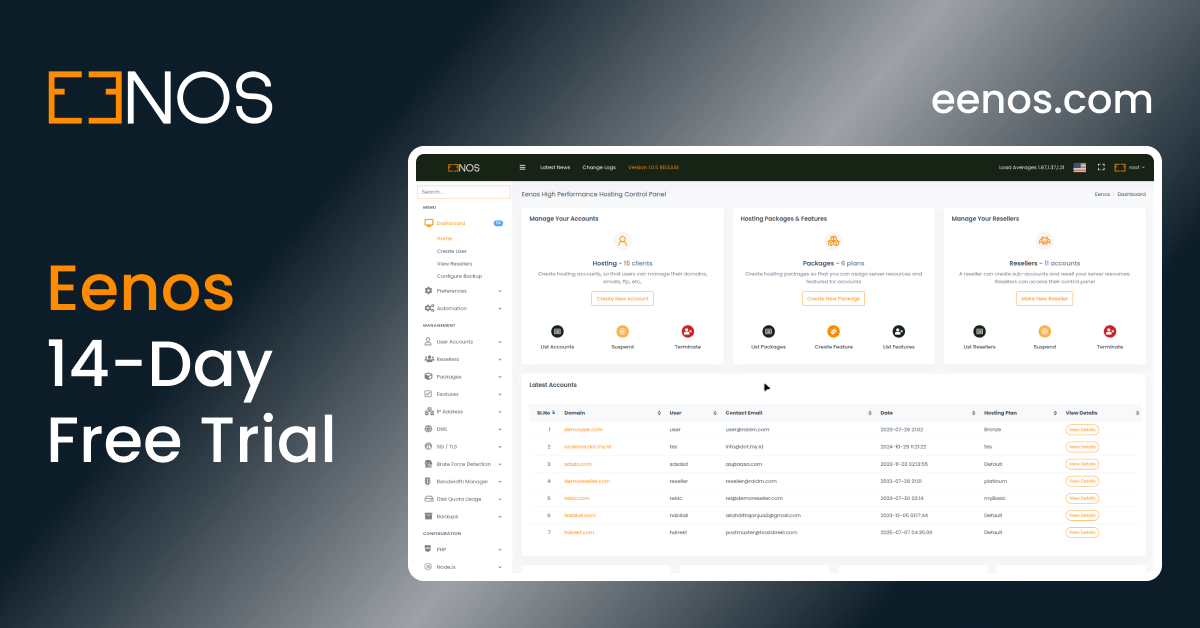
We invite you to experience Eenos v4 through our live demonstration servers.
Explore the redesigned interface, discover the hosting management tools, and see how Eenos works from different account perspectives.
User Control Panel Demo
Explore the User Demo
Experience the User Administration Panel, designed for website owners, developers, and hosting customers.
Discover website and email management features, explore CodeSpace, and take a closer look at the modern interface.
Reseller Control Panel Demo
Explore the Reseller Demo
See how resellers can manage customer hosting accounts through a dedicated interface.
Explore reseller account administration and the improved resource usage experience.
Root Administration Panel Demo
Explore the Admin Demo
Take a closer look at the server administration interface built for hosting providers and system administrators.
Explore the tools and management capabilities available within the Root Administration Panel.
Please note: The live demo environments are provided for evaluation purposes. Certain operations may be restricted, and the servers may be periodically reset or temporarily unavailable during maintenance.
Ready to Explore a Modern cPanel Alternative?
If you're evaluating Linux hosting control panels for your hosting business, planning a new hosting infrastructure, or looking for a platform that better supports modern development workflows, Eenos v4 is worth exploring.
Our focus remains on building a practical, feature-rich hosting control panel that addresses real hosting administration needs.
We believe the combination of developer-focused tools, modern administration interfaces, flexible Linux compatibility, and comprehensive hosting features makes Eenos a compelling option for hosting providers.
Discover Eenos: https://eenos.com/
Try the Live Demo: https://demo.eenos.com:3333/
Frequently Asked Questions About Eenos v4
What is Eenos v4?
Eenos v4 is a major release of the Eenos Web Hosting Control Panel, introducing CodeSpace IDE, a modern interface with dark mode, Debian 13 support, multilingual translations, activity auditing, advanced email management, and improved resource usage monitoring.
What is the first version of Eenos v4?
The first official software version in the Eenos v4 series is 4.0.1. Eenos v4 is the major release name.
What is CodeSpace in Eenos?
CodeSpace is an integrated browser-based development environment powered by Monaco Editor. It allows developers to browse files, edit source code, work with multiple files, and use supported formatting tools directly within the Eenos hosting control panel.
Is Eenos an alternative to cPanel?
Yes. Eenos is a Linux web hosting control panel designed for hosting providers, resellers, administrators, and hosting customers. It provides tools for managing websites, domains, email services, databases, hosting accounts, and other hosting-related operations.
Does Eenos v4 support Debian 13?
Yes. Debian 13 (Trixie) support is a new addition in Eenos v4.
Which Linux operating systems are supported by Eenos v4?
Eenos v4 supports Ubuntu 22.04 LTS, Ubuntu 24.04 LTS, Debian 13, Red Hat Enterprise Linux 9, AlmaLinux 9, Rocky Linux 9, and CloudLinux 9.
Does Eenos v4 have a dark mode?
Yes. Eenos v4 introduces a redesigned user interface with dark mode support for a modern hosting management experience.
How many languages does Eenos support?
Eenos v4 supports 15 interface languages, including English, Arabic, Chinese, French, German, Hindi, Indonesian, Italian, Japanese, Korean, Portuguese, Russian, Spanish, Turkish, and Vietnamese.
Does Eenos support Exim Mail Queue Management?
Yes. Eenos v4 includes a dedicated Exim Mail Queue Manager that provides visibility into queued email messages and tools for performing mail queue administration tasks.
Does Eenos support email autoresponders and filters?
Yes. Eenos supports Dovecot Sieve and introduces SMTP-level autoresponders, email filters, and domain filters in v4, providing additional options for email automation and filtering.
Can resellers and hosting users view resource usage?
Yes. Eenos v4 introduces dedicated resource usage views for reseller and hosting user accounts, improving visibility into hosting resource consumption.
Can I try Eenos v4 before choosing it?
Yes. Eenos provides live demonstration environments for User, Reseller, and Root Administration Panels. You can explore them at https://demo.eenos.com:3333/, https://demo.eenos.com:4444/, and https://demo.eenos.com:5555/.
The Future of Hosting Starts Here
Eenos v4 is an important milestone in our journey to build a modern, accessible, and developer-friendly web hosting control panel.
We've listened to the practical needs of hosting administrators, developers, resellers, and website owners while continuing to improve the platform.
CodeSpace brings development closer to hosting. The redesigned interface makes everyday administration more comfortable. Activity Logs and resource usage views improve visibility, while advanced email features and Debian 13 support bring greater flexibility to hosting environments.
And this is only the beginning of the Eenos v4 series.
We're excited about what comes next, and we invite you to experience the new release for yourself.
Eenos v4 – Beyond Hosting. Built for Developers.
Explore Eenos | Experience the Live Demo