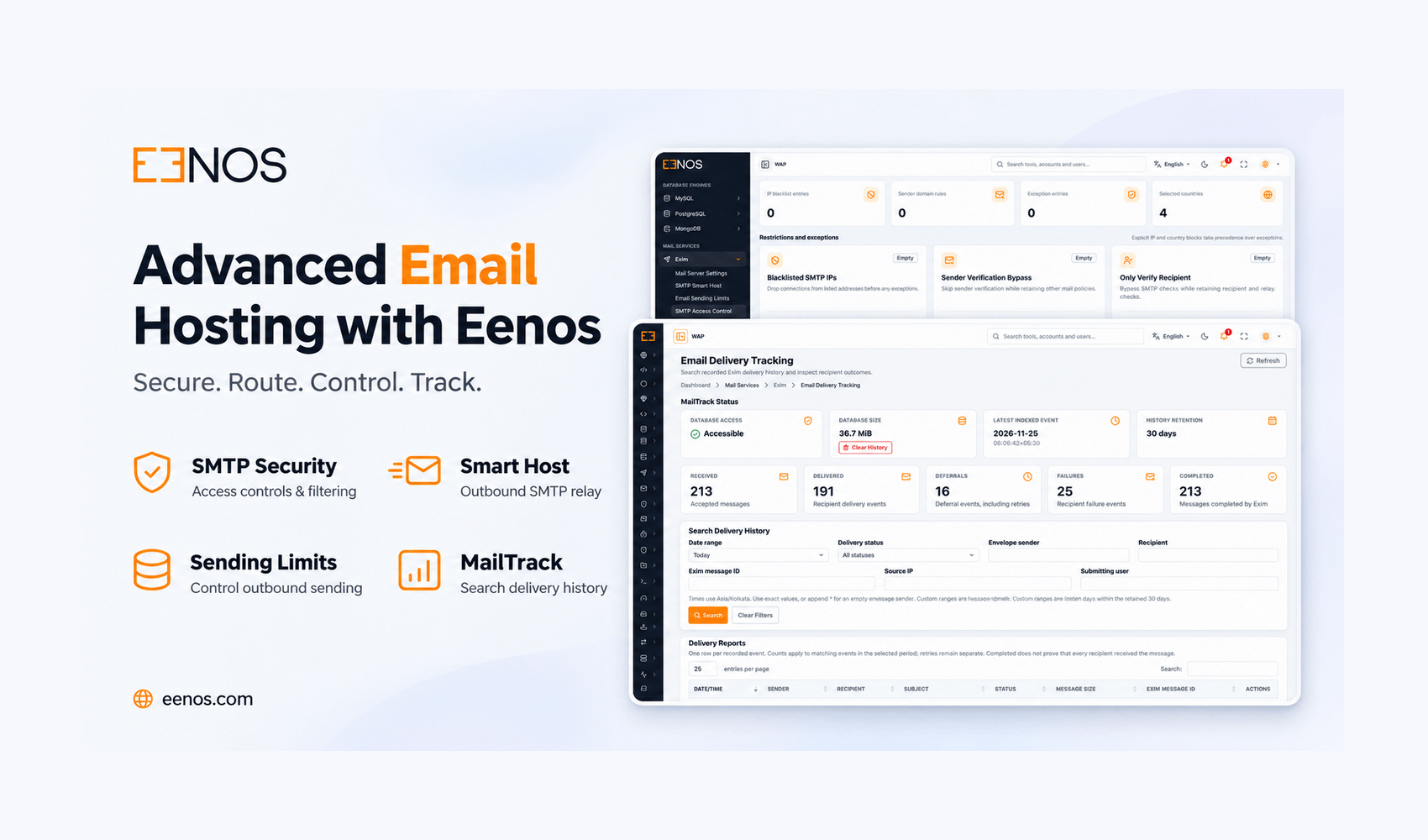
Advanced Email Hosting with Eenos: SMTP Security, Smart Host, Sending Limits & MailTrack
Take control of your email hosting infrastructure with advanced SMTP security, flexible outbound email routing, intelligent sending limits, and comprehensive delivery tracking—all integrated into the Eenos hosting control panel.
Email hosting remains one of the most essential services offered by web hosting providers. From business communications and transactional notifications to website-generated messages and customer support emails, reliable email infrastructure plays a critical role in modern hosting environments.
However, managing an email server involves much more than creating mailboxes. Hosting administrators must secure SMTP connections, prevent unauthorized relay access, control outgoing email activity, investigate delivery failures, manage spam policies, and maintain reliable mail routing.
Eenos simplifies these challenges with an integrated email hosting management platform built around the Exim mail server.
With advanced SMTP Access Control, global and per-domain SMTP Smart Host configuration, outgoing email sending limits, MailTrack delivery monitoring, and comprehensive security settings, Eenos gives hosting providers and website owners greater visibility and control over their email infrastructure.
In this article, we'll explore the advanced email hosting capabilities available in Eenos and how they help administrators operate more secure, manageable, and flexible Linux email hosting environments.
1. Advanced Email Hosting Management with Eenos
Traditional email server management can involve editing configuration files, maintaining SMTP access lists, examining mail logs, configuring external relays, and troubleshooting delivery failures through command-line utilities.
These operations become increasingly complex when hosting hundreds or thousands of domains across multiple hosting accounts.
Eenos brings essential email administration capabilities into a unified control panel, reducing the need to perform everyday management tasks manually.
Integrated Exim Mail Server Administration
Eenos provides a centralized interface for managing supported Exim mail server settings, including SMTP transaction controls, connection policies, access restrictions, spam handling, outbound relay configuration, and email sending limits.
Administrators can configure supported mail policies through the Web Administrator Panel, while authorized hosting users can access features such as domain-specific SMTP Smart Host management and email delivery tracking.
Designed for Multi-Account Hosting Environments
A hosting provider may need to apply different email policies across hosting packages, reseller accounts, and individual customer domains.
Eenos integrates email management with its existing hosting account ownership and permission model, allowing supported features to be controlled at the appropriate administrative level.
This approach makes Eenos suitable for shared hosting providers, managed hosting companies, and organizations operating multiple email-enabled domains.
2. SMTP Access Control — Advanced Mail Server Security
SMTP servers are frequent targets for unwanted connections, spam attempts, unauthorized relay activity, and automated abuse.
Eenos provides a dedicated SMTP Access Control dashboard that allows administrators to manage supported connection and verification policies through a central interface.
The dashboard includes seven access-control categories, giving administrators granular control over how different SMTP sources are handled.
Blacklisted SMTP IP Addresses
Administrators can block specific IPv4 or IPv6 addresses and CIDR networks from connecting to the mail server.
For example, if a particular network repeatedly attempts unwanted SMTP connections, the administrator can add the relevant IP address or network range to the blacklist.
Configured IP blocks are evaluated before trusted-source exceptions, helping preserve the intended security restrictions.
Trusted SMTP IP Addresses
Some hosting environments have legitimate mail systems that require special verification policies.
Eenos allows administrators to configure trusted SMTP sources that bypass selected sender, recipient, SPF, DKIM, and content-scanning checks.
Importantly, trusted-source status does not automatically authorize unrestricted email relaying. External delivery outside configured relay domains still requires appropriate authorization.
Sender Verification Bypass
Administrators can configure sources that should bypass sender verification and callout checks.
This is useful when working with known systems where sender verification may be unsuitable, while other applicable mail security policies remain enforced.
Only Verify Recipient
The Only Verify Recipient policy allows configured sources to bypass selected SMTP sender, reputation, DKIM, and content-scanning checks.
Recipient verification and relay protection remain active.
This provides flexibility when integrating specific trusted systems without broadly disabling essential mail routing safeguards.
Backup MX Hosts
Eenos supports managing backup MX host exceptions based on verified reverse-DNS hostnames.
These exceptions can bypass configured connection-rate limits where applicable.
Blocked Sender Domains
Administrators can block email from selected envelope sender domains.
The feature supports exact domain names and wildcard rules for subdomains.
For example:
- spam-domain.example blocks the specified domain.
- *.spam-domain.example targets matching subdomains.
Exact-domain and wildcard rules are treated separately.
Country-Based SMTP Blocking
Eenos introduces country-based SMTP access restrictions using locally installed IP geolocation datasets.
The interface supports 240 country/code selections and generates combined IPv4 and IPv6 address blocklists from the available data.
Administrators can search countries, select the required restrictions, and rebuild the configured list when the installed dataset changes.
The dashboard displays saved selections, generated address-range counts, and dataset information.
Why this matters: SMTP Access Control helps hosting administrators define security policies for unwanted connections while preserving necessary exceptions for legitimate mail systems.
Country-based filtering should be used carefully because IP geolocation is approximate and broad restrictions can affect legitimate senders.
3. SMTP Command Limits and Connection Protection
Email security is not limited to sender verification and spam filtering. SMTP protocol behavior also needs appropriate controls.
Eenos provides configurable SMTP command limits and transaction delays through its Exim management interface.
SMTP Command Limits
Administrators can configure limits for:
- Unknown SMTP commands.
- SMTP syntax and protocol errors.
- Non-mail SMTP commands.
These settings control how the server responds to connections that repeatedly submit unsupported or invalid protocol commands.
They can help reduce exposure to certain unwanted automated SMTP behaviors.
SMTP Greeting Delays
A greeting delay controls when the SMTP server sends its initial greeting to eligible connections.
Eenos allows administrators to enable or disable this delay and configure its duration within supported bounds.
Recipient Delays
Recipient delays can also be configured independently.
These controls affect eligible SMTP recipient commands and operate separately from SMTP rate limiting.
Improved Spam Handling
Eenos includes improvements to Exim and SpamAssassin integration, including more accurate spam-score threshold handling, configurable subject prefixes, and clearer behavior when the spam scanner is unavailable.
Administrators can configure supported fail-closed scanning policies so eligible messages do not silently pass as clean when scanning fails.
Why this matters: These controls give administrators additional ways to manage SMTP connection behavior and improve the consistency of configured mail security policies.
4. SMTP Smart Host — Flexible Outbound Email Routing
Sending email directly from a hosting server is not always the preferred delivery method.
Some hosting providers use external SMTP services for outbound mail, while businesses may require a dedicated relay provider for transactional messages or other email applications.
Eenos supports these requirements through SMTP Smart Host, allowing outbound email to be routed through a configured external SMTP server.
What Is an SMTP Smart Host?
An SMTP Smart Host is an intermediary mail server used to relay outbound email.
Instead of sending a message directly to the recipient domain's mail server, the originating server submits the message to its configured relay.
The relay then handles the next stage of message delivery according to the provider's policies.
Common reasons for using an SMTP Smart Host include centralized outbound routing, provider-managed email infrastructure, and organization-specific delivery requirements.
Global SMTP Smart Host
Eenos allows server administrators to configure a global SMTP relay for supported outbound email traffic.
Available settings include:
- SMTP relay hostname or IP address.
- Relay port.
- STARTTLS or implicit TLS.
- SMTP authentication.
- Provider-authorized IP-based relay access.
- Protected credential storage.
- Connection testing.
- Explicit test-email submission.
Administrators can enable or disable global relay routing through the control panel.
Secure SMTP Authentication
Eenos supports authenticated SMTP relay connections and TLS certificate verification.
Saved SMTP credentials are stored separately from ordinary Exim preferences and are not displayed as plaintext in the management interface.
A selected relay failure follows the configured retry or bounce behavior instead of silently falling back to direct delivery.
This helps administrators maintain predictable outbound email routing.
Global Relay and Direct Delivery
When a supported global Smart Host is enabled, eligible outbound email can be routed through the configured relay.
When global relay routing is disabled, the system can continue using its normal eligible delivery routes.
The routing system preserves supported local delivery behavior and existing Exim authentication policies.
Why this matters: Global SMTP Smart Host management allows hosting providers to integrate external SMTP delivery infrastructure without manually configuring the corresponding routing rules for routine supported scenarios.
5. Per-Domain SMTP Smart Host — Different Relays for Different Domains
One of the more flexible email management capabilities in Eenos is per-domain SMTP Smart Host configuration.
In a shared hosting environment, different customers may have different outbound email requirements.
For example, one business may use an external transactional email provider, while another domain may use the hosting provider's default outbound mail service.
Eenos allows eligible domains to have their own SMTP relay configuration.
Domain-Specific Outbound Email Routing
Administrators can configure supported SMTP relay settings for individual domains.
When an authorized message belongs to a domain with an enabled relay, Eenos can route that message through the domain's selected SMTP provider.
If no domain-specific relay applies, the message follows the appropriate configured global or direct-delivery policy.
Domain Relay Management for Hosting Users
Eenos includes a dedicated SMTP Smart Host interface in the hosting user panel.
Authorized users can manage supported relay configurations for their own main, addon, and alias domains.
The interface displays information such as:
- Domain name.
- Relay configuration status.
- Effective delivery policy.
- Configured relay host.
- Available management actions.
Configure and Test SMTP Connections
Users can configure relay hostname, port, TLS mode, authentication credentials, and other supported options.
The connection-testing feature allows users to check relay connectivity and authentication without sending a test email.
Enable, Disable, and Remove Relay Configurations
Users can disable a saved relay while preserving its configuration and credentials for future use.
The interface also supports re-enabling eligible configurations or deleting saved relay settings through a confirmed operation.
Domain Ownership and Security
Per-domain relay management validates hosting account ownership and relevant feature permissions.
Credentials are handled through protected backend operations rather than being exposed to ordinary browser requests.
The routing integration also validates the relevant account and domain identity before selecting eligible outbound relay settings.
Why this matters: Per-domain SMTP Smart Host helps hosting providers support different customer delivery requirements without applying one outbound relay configuration to every hosted domain.
External SMTP providers must still authorize the relevant senders and domains. Relay configuration alone does not guarantee successful delivery or inbox placement.
6. Email Sending Limits — Control Outgoing Email Usage
Unrestricted outbound email activity can create operational challenges for shared hosting environments.
A compromised website, misconfigured application, or unexpectedly high message volume may produce large numbers of outgoing messages.
Eenos introduces configurable Email Sending Limits to help administrators manage outbound email activity at different levels.
Multi-Level Sending Policies
Eenos supports sending-limit configuration through:
Global Limits
Administrators can establish server-wide maximum policies through Exim settings.
Hosting Package Limits
Different hosting packages can define supported email sending restrictions.
Hosting Account Limits
Administrators and authorized resellers can configure account-specific values subject to applicable parent limits.
Domain-Level Limits
Individual domains can have supported overrides within the configured policy hierarchy.
The effective restriction is determined using the applicable global, package, account, and domain policies.
Outgoing Recipients Per Hour
Eenos supports a maximum number of outgoing external recipients per domain during a rolling one-hour period.
The system counts unique external envelope recipients associated with verified sending-domain activity, rather than treating every delivery retry as an entirely new submission.
Concurrent submissions are handled through transactional reservations.
Failed and Deferred Delivery Percentage
Administrators can also configure thresholds for failed or deferred message delivery outcomes.
The system evaluates relevant delivery results within the rolling accounting period.
Applicable restrictions require a minimum number of evaluated recipients, and infrastructure-related deferrals are excluded from the failure calculation.
Automatic SMTP Enforcement
Email sending limits are enforced through Exim integration, with SQLite used for accounting.
New eligible submissions that exceed configured restrictions receive temporary failures, while existing queued messages continue through their normal retry handling.
Email Sending Limits Dashboard
The administrator panel includes a searchable table displaying domain-level sending information.
Available statistics include:
- Effective hourly recipient limit.
- Accepted and reserved usage.
- Remaining sending allowance.
- Delivered, failed, and deferred outcomes.
- Failure percentages.
- Current restriction status.
Administrators can review detailed statistics and edit supported domain-level policies through management dialogs.
Why this matters: Email Sending Limits provide hosting administrators with enforceable controls over outbound email usage while offering visibility into domain-level sending behavior.
These restrictions are particularly valuable for shared hosting environments where many independent customer websites and applications send email through the same infrastructure.
7. MailTrack — Email Delivery Tracking and Reporting
Troubleshooting email delivery problems can be difficult without access to detailed delivery records.
A customer may report that an email was not received, while the administrator needs to determine whether the message was accepted, deferred, delivered, or rejected.
Traditionally, investigating these issues may require manually examining Exim log files and correlating multiple delivery events.
Eenos simplifies this workflow through MailTrack, an integrated email delivery tracking system.
What Is MailTrack?
MailTrack is a dedicated subsystem that collects supported Exim receipt, delivery, retry, failure, and completion events.
It stores structured delivery history in a local SQLite database and makes the information accessible through authorized control-panel interfaces.
Email Delivery Tracking for Administrators
The Web Administrator Panel includes an Email Delivery Tracking interface with searchable records and filtering tools.
Administrators can review message information, submission details, delivery outcomes, and recipient-level timelines.
Track Delivered, Deferred, and Failed Messages
MailTrack distinguishes recorded delivery outcomes.
Delivered
Indicates that the recorded delivery attempt completed successfully at the relevant delivery stage.
Deferred
Indicates that delivery was temporarily delayed and may be attempted again.
Failed
Indicates that a delivery attempt encountered a recorded failure.
These statuses reflect mail-server delivery events and do not necessarily prove that a recipient read a message or that it appeared in their inbox.
Recipient-Level Delivery Timelines
A single email can have several recipients, and individual recipients may experience different delivery outcomes.
MailTrack preserves relevant recipient-level events, including successive retry attempts.
This allows administrators to inspect recorded message activity in more detail.
Email Delivery Tracking for Hosting Users
Eenos also provides email delivery tracking in the hosting user panel.
Users can view authorized incoming and outgoing delivery records associated with their hosting account and mailboxes.
Access is based on verified account ownership, authenticated submission identity, and relevant mailbox information.
A matching sender address alone does not authorize access to another account's delivery history.
Search and Filter Delivery Records
The interface provides supported filters and server-side pagination to help administrators locate relevant messages.
Available recorded information can include message subjects, submission metadata, envelope senders, delivery sizes, timestamps, and delivery diagnostics.
Historical Delivery Records
MailTrack includes bounded history retention and cleanup mechanisms.
Its collector maintains reading checkpoints to continue processing supported log events after service restarts.
Historical coverage depends on available retained Exim logs and applicable recovery limits.
Protected Email Delivery Information
MailTrack does not collect email message bodies or passwords.
Its reporting interfaces apply appropriate authorization checks to protect account-specific information.
Why this matters: MailTrack makes email delivery troubleshooting more accessible for hosting administrators and gives customers visibility into recorded mail activity without requiring direct access to Exim server logs.
8. Email Security, DKIM Verification, and Spam Protection
Reliable email hosting requires several layers of protection.
Eenos combines SMTP access policies, spam-handling controls, DKIM-related processing, DNS management, and authenticated relay configuration.
DKIM Verification and Signing
DomainKeys Identified Mail (DKIM) allows receiving mail systems to verify that a signed message corresponds to the domain's published cryptographic key.
Eenos includes DKIM verification-related controls and preserves supported outbound DKIM signing through its Exim routing integration.
Improved verification reporting distinguishes successfully verified signatures from failed or unverified signatures.
SPF and DMARC Through DNS Management
Eenos DNS management supports configuration of SPF, DKIM, and DMARC records.
These DNS-based mechanisms help domain administrators publish email authentication policies.
SPF identifies authorized sending infrastructure, while DMARC provides domain-level policy and reporting mechanisms based on SPF and DKIM alignment.
SpamAssassin Integration
Eenos provides supported spam-scanning and spam-handling controls through Exim and SpamAssassin integration.
Administrators can configure relevant thresholds, scanning behavior, and message handling policies.
Safer Configuration Deployment
Mail configuration changes can affect many hosting accounts.
Eenos includes Exim configuration validation and rollback behavior to reduce the risk of activating invalid or unsupported configuration changes.
Why this matters: Combining email authentication, SMTP access restrictions, spam-scanning policies, and controlled configuration management helps administrators maintain a consistent email security environment.
These tools improve control and visibility, but no single configuration can guarantee that spam is eliminated or that all legitimate messages reach the inbox.
9. Why Choose Eenos for Email Hosting Management?
Eenos brings together several capabilities that are particularly valuable for hosting providers and Linux system administrators.
Centralized Exim Administration
Manage supported SMTP security, connection limits, outbound routing, and sending policies through one control panel instead of relying exclusively on manual configuration changes.
Flexible SMTP Relay Management
Configure a global SMTP Smart Host while allowing eligible customer domains to use their own outbound relay settings.
Granular Email Sending Restrictions
Set applicable restrictions at the server, package, account, and domain levels, with enforcement and usage reporting.
Detailed Email Delivery Visibility
Use MailTrack to investigate recorded email delivery attempts through searchable reports and recipient-level timelines.
Integrated Mail Security Controls
Manage blocked IPs, trusted sources, sender-domain restrictions, country-based connection policies, and supported spam-handling settings.
Hosting Account Isolation
Supported email-management features are integrated with the Eenos account ownership and feature-permission systems.
A Unified Hosting Environment
Email management works alongside the broader Eenos hosting platform, including domain management, DNS configuration, user administration, and hosting resource controls.
For hosting providers looking for a Linux hosting control panel with advanced email administration, these capabilities make Eenos a compelling option.
10. Who Can Benefit from Advanced Email Hosting with Eenos?
Web Hosting Providers
Manage outbound email policies, customer relay configurations, SMTP restrictions, and delivery activity across hosted accounts.
Server Administrators
Configure Exim security and routing policies, monitor delivery outcomes, and investigate mail-server issues from centralized interfaces.
Resellers
Manage supported account and package email policies while operating within their assigned hosting permissions.
Businesses Hosting Their Own Email
Use supported domain-specific SMTP relay settings and delivery tracking to gain more control over their hosted email operations.
Website Developers
Configure eligible outbound SMTP relays and review recorded delivery activity for supported website-generated email, including contact-form notifications and other transactional messages.
Conclusion: A More Complete Approach to Linux Email Hosting
Email hosting requires much more than mailbox creation.
Hosting providers need tools to manage SMTP security, control outbound email activity, integrate external delivery services, investigate delivery failures, and maintain reliable mail-server configurations.
Eenos brings these capabilities together in one integrated email hosting management platform.
With SMTP Access Control, global and per-domain SMTP Smart Host, enforceable sending limits, MailTrack delivery reporting, and enhanced Exim security settings, Eenos provides administrators and hosting customers with greater control and visibility over their email infrastructure.
Whether you're managing a shared hosting server, operating a reseller hosting business, or maintaining email services for individual domains, Eenos offers practical tools designed to simplify email administration.
Discover advanced email hosting with Eenos and take greater control of your Linux mail infrastructure.
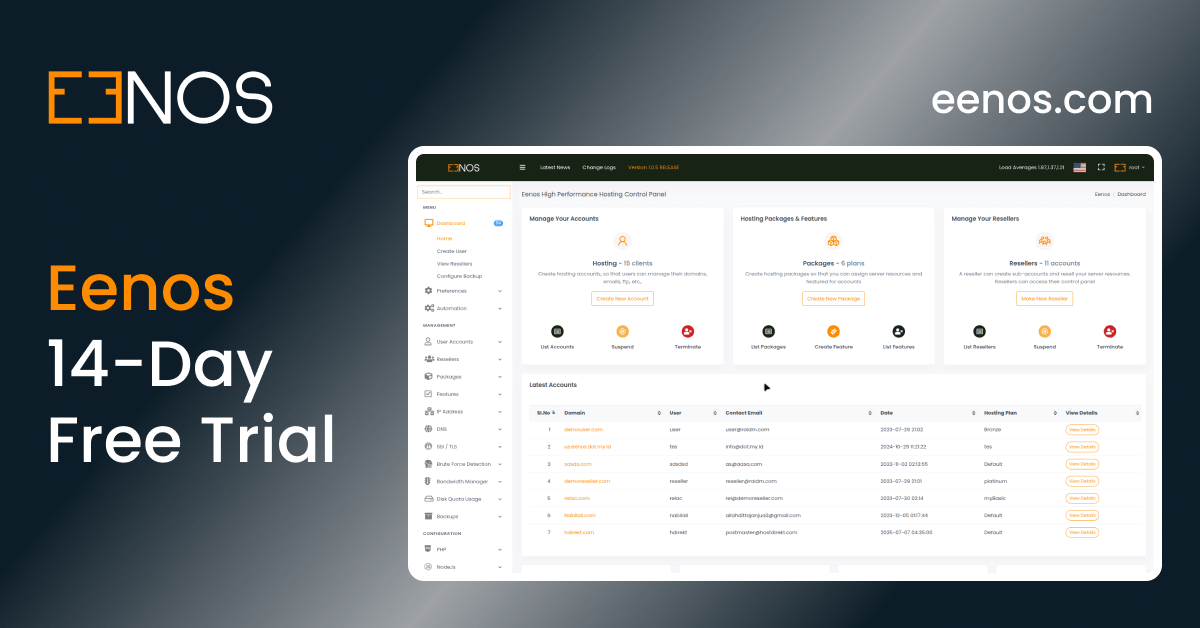
Explore Eenos and experience the hosting control panel through the Eenos Live Demo.
Frequently Asked Questions (FAQ)
These questions target relevant searches about Linux email hosting, SMTP management, external relays, sending limits, and email delivery troubleshooting.
1. What is Eenos email hosting?
Eenos provides integrated Linux email hosting management through its control panel, including Exim mail-server administration, SMTP security policies, outbound email routing, sending limits, and MailTrack delivery reporting.
2. What is an SMTP Smart Host?
An SMTP Smart Host is an external mail server used to relay outbound email. Eenos allows administrators to configure a global SMTP relay and supported domain-specific relay settings.
3. Does Eenos support per-domain SMTP Smart Host?
Yes. Eenos allows supported domains to use individual outbound SMTP relay configurations. Authorized hosting users can configure, test, enable, disable, and remove saved domain relay settings.
4. How does Eenos improve SMTP security?
Eenos provides SMTP Access Control, including blocked and trusted IP lists, sender-domain restrictions, country-based blocking, verification policies, command limits, and configurable SMTP transaction delays.
5. Can Eenos limit outgoing emails per domain?
Yes. Eenos supports rolling-hour outgoing recipient limits and failed/deferred delivery percentage restrictions, with policies applied through global, hosting package, account, and domain configurations.
6. What is MailTrack in Eenos?
MailTrack is an email delivery tracking system that collects supported Exim delivery events and provides searchable reports, recipient-level timelines, and recorded delivered, deferred, and failed outcomes.
7. Can hosting customers track their email delivery?
Yes. Authorized hosting users can review eligible incoming and outgoing email delivery records associated with their own accounts and mailboxes through the Email Delivery Tracking interface.
8. Does Eenos support SMTP authentication and TLS?
Yes. SMTP Smart Host configuration supports authenticated relay connections, STARTTLS or implicit TLS, and certificate verification for supported external SMTP providers.
9. Does Eenos support DKIM, SPF, and DMARC?
Yes. Eenos provides DNS management for SPF, DKIM, and DMARC records, along with supported Exim DKIM verification and outgoing signing integration.
10. Can Eenos guarantee that outgoing emails reach the inbox?
No. Eenos provides routing, security, sending controls, and delivery reporting, but final inbox placement depends on recipient systems, sender reputation, authentication, message content, and external provider policies.