Introduction
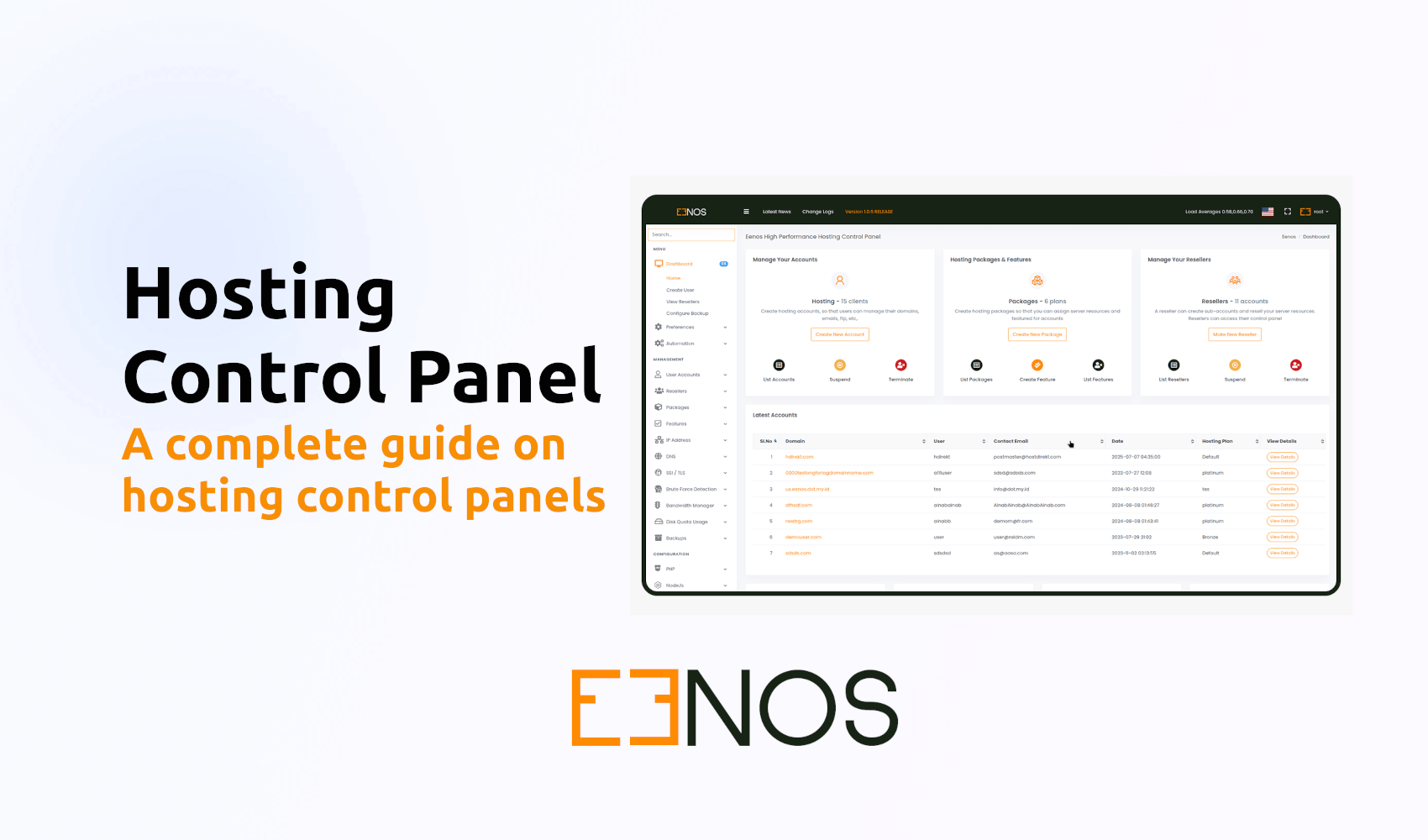
A hosting control panel is the central dashboard that allows users to manage every aspect of their web hosting environment. Whether you run a website, manage a server, or operate a hosting business, the hosting control panel makes complex server operations simple and accessible. Tasks like managing domains, creating emails, handling databases, installing SSL certificates, and configuring hosting packages can all be performed with just a few clicks.
In today’s hosting ecosystem, utilizing a reliable and modern web hosting control panel is crucial for automation, security, and seamless server management. This guide explains how a hosting control panel works, its major components, benefits, and how to choose the best one.
How Does a Hosting Control Panel Work?
A hosting control panel acts as a user-friendly layer on top of server technologies such as Apache, Nginx, MySQL, DNS, email servers, and more. Instead of manually configuring these components through Linux commands, the control panel automates them using predefined scripts and APIs.
Here’s how it works:
- A user logs in to the hosting control panel (Admin, Reseller, or End User).
- The panel processes user actions (e.g., creating a domain, adding a database, enabling SSL).
- The hosting control panel executes server operations through internal APIs, scripts, and system services.
- The server applies the configuration automatically.
- The panel updates the dashboard and stores logs of the changes.
This automation saves time, reduces errors, and makes server management simple even for beginners.
Main Components of a Web Hosting Control Panel
A modern web hosting control panel brings essential server administration, website management, security, and automation tools into one centralized interface. While available features vary between platforms, the following components are important when evaluating a hosting control panel for personal websites, development projects, or commercial hosting services.
1. Admin UI
The administrator interface provides centralized control over server configurations, hosting accounts, system services, and security settings. Server administrators can create hosting packages, allocate resources, monitor server performance, manage users, and maintain the hosting environment from a single dashboard.
2. Reseller UI
The reseller interface allows hosting providers and resellers to manage customer accounts independently. Resellers can create hosting accounts, configure hosting packages, allocate resources, monitor account usage, and manage customer services. Advanced platforms may also provide branding options and sub-reseller management capabilities.
3. End User UI
The end-user interface provides website owners with the tools needed to manage their hosting accounts without requiring advanced server administration knowledge. Common features include:
- Adding and managing domains and subdomains
- Creating and managing email accounts
- Installing and managing SSL certificates
- Uploading, editing, and organizing website files
- Creating and managing databases
- Installing and deploying web applications
4. API
A modern hosting control panel provides APIs that allow developers and hosting providers to automate administrative tasks and integrate external services. REST APIs can support hosting account provisioning, resource management, domain configuration, and service administration through integrations with WHMCS, billing platforms, and custom applications.
5. Hosting Package Manager
The hosting package manager enables administrators to create and manage hosting plans with predefined resource allocations. Depending on the platform, packages can include limits for disk space, bandwidth, CPU, memory, email accounts, FTP accounts, databases, and hosted domains.
6. Hosting Feature Manager
The feature manager allows administrators to control which capabilities are available to hosting accounts and packages. Features such as DNS management, backups, SSH access, SSL certificates, database management, and application runtimes can be enabled or restricted according to the hosting plan.
7. Backup Management
Backup management tools help administrators and website owners protect hosting data and recover from accidental deletion, application failures, or server problems. Common capabilities include:
- Creating full and partial backups
- Scheduling automated backups
- Restoring website files, databases, and email accounts
- Configuring local and remote backup storage
- Managing backup retention and restoration options
Remote storage support may include S3-compatible services, FTP servers, and other supported storage destinations.
8. Domain Management
Domain management tools allow users to add, remove, and configure domains within their hosting accounts. Depending on the control panel, users can manage primary domains, addon domains, subdomains, domain aliases, and redirects while maintaining website-specific hosting configurations.
9. Email Administration
Email management is an essential component of traditional web hosting. A hosting control panel can provide centralized tools for:
- Creating and managing email accounts
- Configuring email forwarding and aliases
- Managing SPF, DKIM, and DMARC authentication
- Accessing webmail interfaces
- Configuring mailing lists where supported
- Managing spam filtering and email security
These features simplify email administration for website owners, businesses, and hosting providers.
10. File Manager
A web-based file manager allows users to manage website files directly through their hosting control panel. Common operations include uploading, downloading, editing, copying, moving, compressing, extracting, and deleting files.
File managers may also support permission management, making it easier to maintain website files without requiring direct SSH or FTP access.
11. Database Engines
Database management tools allow users to create databases, manage database users, configure access permissions, and maintain application data.
Modern hosting control panels may support multiple database technologies, including:
- MySQL and compatible database servers
- PostgreSQL
- MongoDB
- Remote database connections and management
Support for multiple database engines gives developers greater flexibility when deploying websites and applications with different storage requirements.
12. Support for Multiple PHP Versions
Multi-PHP management allows hosting providers and website owners to select supported PHP versions for individual websites or domains. This helps maintain compatibility with WordPress, Joomla, Magento, and other PHP applications while allowing administrators to manage runtime upgrades and configuration settings.
13. Support for Multiple Python Versions
Python application hosting allows developers to deploy frameworks such as Django, Flask, and Wagtail using supported Python runtimes.
Advanced hosting platforms provide isolated application environments, dependency management, and configuration tools that allow different Python projects to operate independently on the same server.
14. Support for Multiple Node.js Versions
Node.js hosting enables developers to deploy JavaScript applications, backend APIs, and web services using supported Node.js runtime versions.
Depending on the control panel, application management tools may include dependency installation, environment configuration, process management, application logs, and service monitoring.
15. Multiple Ruby Versions
Ruby application hosting provides support for Ruby-based projects, including applications developed with Ruby on Rails.
Hosting control panels with Ruby runtime management can allow developers to select supported versions, configure application environments, manage dependencies, and deploy projects without manually configuring every server component.
16. Multiple Web Server Engines
Web server management allows administrators to configure hosting environments according to website performance, application compatibility, and infrastructure requirements.
Supported configurations may include:
- Nginx
- Apache HTTP Server
- OpenLiteSpeed
- Hybrid web server configurations using reverse proxies and caching layers
Support for different web server technologies gives hosting providers greater flexibility when managing traditional websites and modern applications.
17. Advanced Cache Manager
Caching technologies help improve website response times and reduce unnecessary processing by storing frequently requested content or application data.
Depending on the platform and server configuration, caching options may include:
- Redis for application and object caching
- Memcached for in-memory data caching
- Varnish Cache for HTTP response caching
- FastCGI caching for supported web server configurations
Effective caching requires appropriate configuration based on application behavior, content types, and server resources.
18. DNS Management
DNS management tools allow hosting administrators and website owners to configure domain name resolution through a graphical interface.
Common operations include creating, editing, and deleting DNS records such as A, AAAA, CNAME, TXT, MX, and SRV records.
Advanced control panels may also provide DNS zone management, DNS templates, and integrations with external DNS services.
19. SSL Certificates
SSL certificate management tools simplify the process of securing websites with HTTPS.
Common capabilities include:
- Automated SSL certificate issuance through Let's Encrypt
- Automatic certificate renewal
- Wildcard SSL certificate support where available
- Installation of custom SSL certificates
- Certificate configuration and expiration monitoring
Automated SSL management helps administrators maintain encrypted connections while reducing manual certificate maintenance.
Benefits of Using a Hosting Control Panel
A web hosting control panel simplifies website and server administration by bringing essential hosting tools into one centralized platform. It helps website owners, developers, and hosting providers automate routine tasks, manage server resources, improve security, and maintain their hosting environments more efficiently. From managing a single website to operating a reseller hosting business, a modern control panel offers several practical advantages.
1. Simplifies Server and Website Management
A hosting control panel converts complex server administration tasks into accessible graphical interfaces. Instead of manually configuring services through Linux commands, users can manage websites, domains, email accounts, SSL certificates, files, and databases from a centralized dashboard.
This simplifies everyday administration for beginners while helping experienced server administrators manage hosting environments more efficiently.
2. Automates Complex Hosting Tasks
Hosting control panels automate repetitive administrative operations such as creating databases, configuring DNS records, installing SSL certificates, scheduling cron jobs, and deploying web applications.
By executing these operations through integrated scripts, APIs, and system services, control panels reduce manual configuration work, improve consistency, and help minimize common administrative errors.
3. Improves Security and Reliability
Modern hosting control panels provide security management tools that help administrators protect websites, hosting accounts, and server infrastructure.
Depending on the platform, these may include firewall management, brute-force detection, SSL automation, access controls, security updates, and malware scanning.
Centralized security management simplifies routine administration, although effective protection still depends on proper server configuration, regular maintenance, and application security.
4. Faster Website Deployment
A hosting control panel simplifies the process of creating hosting accounts, configuring domains, installing applications, and preparing websites for production.
Features such as automated account provisioning, application installers, SSL certificate management, and runtime configuration tools can significantly reduce the time required to deploy websites and web applications.
5. Centralized Dashboard for All Hosting Functions
A centralized hosting dashboard brings website management, email administration, DNS configuration, file management, databases, backups, and security settings into one interface.
This reduces the need to switch between multiple administrative tools and allows users to monitor and manage essential hosting services more efficiently.
6. Enhanced Monitoring and Resource Optimization
Hosting control panels provide monitoring tools that help administrators track server performance and hosting account resource consumption.
Depending on the platform, administrators can monitor CPU usage, memory consumption, disk space, bandwidth, and running services. These insights help identify resource limitations, investigate performance issues, and plan infrastructure upgrades.
7. Supports Multiple Programming Environments
Modern hosting control panels may support multiple programming languages and application runtimes, including PHP, Python, Node.js, and Ruby.
Support for different runtime versions lets developers deploy websites, APIs, and web applications with different technical requirements. Platforms offering isolated application environments can also help separate dependencies and configurations between projects.
8. Efficient Backup and Restore Tools
Backup management is an essential feature of a reliable hosting control panel. It lets administrators and website owners protect critical hosting data and recover from accidental changes, application failures, or data loss.
Common backup capabilities include:
- Creating full and partial hosting account backups
- Scheduling automatic backups
- Storing backups locally or on supported remote storage services
- Restoring website files, databases, and email accounts
- Managing backup retention and recovery options
Regular backup verification and restoration testing are important for ensuring that data can be recovered when needed.
9. User, Reseller, and Admin-Level Access
Hosting control panels often provide separate management interfaces or role-based permissions for server administrators, hosting resellers, and end users.
Administrators manage server configurations and hosting services, resellers oversee customer accounts and hosting packages, and end users manage their websites, email accounts, domains, and databases.
This separation helps hosting providers organize operations, delegate responsibilities, and control access to administrative functions.
10. Scalable for Growing Hosting Needs
As websites and hosting businesses grow, their infrastructure requirements change. A hosting control panel helps administrators manage additional domains, hosting accounts, resource allocations, and customer services.
Features such as hosting package management, reseller administration, automation APIs, and resource monitoring can simplify operations as the number of hosted accounts increases.
Actual scalability depends on server capacity, software architecture, and infrastructure configuration.
11. Saves Time and Reduces Operational Costs
Automated provisioning, centralized administration, and simplified hosting workflows can reduce the manual effort required to manage websites and server services.
For hosting providers, this can improve operational efficiency, simplify customer account management, and reduce repetitive administrative work.
The overall cost benefit depends on licensing, infrastructure requirements, maintenance, and the level of automation implemented.
12. Improves Overall User Experience
A well-designed hosting control panel makes server and website management more accessible through intuitive navigation, organized dashboards, clear system information, and guided administrative tools.
By simplifying common operations and providing access to essential hosting features, control panels help both beginners and experienced administrators work more confidently and efficiently.
How to Choose the Best Hosting Control Panel
Choosing the right web hosting control panel is an important decision for website owners, developers, server administrators, and hosting providers. The ideal solution should balance ease of use, security, performance, automation, compatibility, and long-term operating costs.
Before selecting a hosting control panel, evaluate your server environment, application requirements, expected growth, and the level of technical management your business needs. The following 12 factors will help you compare available solutions and make an informed decision.
1. Ease of Use and User Interface (UI)
A web hosting control panel should provide a clean, responsive, and intuitive interface that simplifies everyday server administration.
Look for features such as:
- Clear navigation and logically organized menus
- Centralized dashboards for hosting operations
- Visual monitoring of server resources and account usage
- Simple tools for managing websites, domains, email, and databases
- Accessible interfaces for administrators, resellers, and end users
A well-designed interface reduces the learning curve, minimizes configuration mistakes, and helps users complete routine hosting tasks efficiently.
2. Supported Technologies & Languages
Choose a hosting control panel that supports the web servers, programming languages, and database technologies required by your websites and applications.
Important technologies to evaluate include:
- Multiple PHP versions for traditional websites and CMS platforms
- Python runtime support for Django, Flask, and other frameworks
- Node.js versions for JavaScript applications and backend services
- Ruby and Ruby on Rails application support
- MySQL, MariaDB, PostgreSQL, and MongoDB compatibility
- Web server options such as Nginx, Apache, and OpenLiteSpeed
Support for multiple application runtimes and isolated environments provides greater deployment flexibility and helps maintain compatibility between projects.
3. Automation Capabilities & API Support
Automation is particularly important for hosting providers managing multiple servers, customer accounts, and recurring administrative operations.
Look for capabilities such as:
- REST APIs for hosting account and server management
- Command-line tools for administrative operations
- Automated account provisioning and configuration
- Scheduled backups and automated SSL certificate management
- Hooks and integrations for custom workflows
- Support for external billing and hosting management systems
A well-documented API allows developers to connect hosting operations with billing platforms, customer portals, and custom infrastructure management tools.
4. Security Features
Security should be a primary consideration when selecting hosting control panel software.
Evaluate the availability of:
- Firewall management and security integrations
- Brute-force login detection and protection
- Two-factor authentication (2FA)
- Secure file permissions and account isolation
- Automated SSL certificate issuance and renewal
- Malware detection and scanning where supported
- Security updates and access control management
Security features vary between platforms. Choose a control panel that supports your security requirements and provides reliable mechanisms for maintaining the underlying server environment.
5. Performance and Speed
A hosting control panel should manage server resources efficiently without unnecessarily affecting hosted websites and applications.
Important factors include:
- CPU and memory consumption
- Web server performance and configuration options
- Efficient management of concurrent hosting accounts
- Support for caching technologies and reverse proxies
- Resource monitoring and optimization tools
- Stability under expected hosting workloads
Evaluate actual performance using your intended server configuration and applications rather than relying exclusively on marketing claims or the programming language used to develop the control panel.
6. Backup & Restore System
Reliable backup and restoration capabilities are essential for protecting websites, databases, email accounts, and hosting configurations.
Look for:
- On-demand full and partial backups
- Scheduled automated backup jobs
- Local and remote backup storage
- Support for compatible external storage services
- Individual file, database, and account restoration
- Backup retention and cleanup management
- Backup logs and failure notifications
Before choosing a hosting control panel, verify that its backup system supports your recovery requirements and test whether backups can be restored successfully.
7. Scalability and Multi-user Support
Hosting providers and growing businesses need a control panel capable of managing additional accounts, domains, and server resources as demand increases.
Evaluate features such as:
- Separate administrator, reseller, and end-user interfaces
- Custom hosting packages and account resource limits
- Reseller and sub-reseller management where supported
- Multiple hosting accounts and domain management
- Automation for bulk administrative operations
- Multi-server or clustered hosting support where required
Choose a solution that fits your current infrastructure while providing a practical path for future growth.
8. Cost and Licensing Structure
Hosting control panel pricing can vary significantly depending on licensing terms, server requirements, and the number of hosted accounts.
Compare:
- Monthly and annual subscription options
- Per-server versus per-account licensing
- VPS, dedicated server, and reseller license options
- Additional charges for extensions or premium features
- Software updates and technical support coverage
- Long-term licensing costs as hosting accounts increase
Consider the total cost of ownership, including server resources, administration, maintenance, support, and required integrations.
9. Support & Documentation
Reliable technical support and clear documentation are important when installing, configuring, and maintaining hosting control panel software.
Evaluate the availability of:
- Installation and configuration guides
- Administrator and end-user documentation
- API and developer references
- Troubleshooting articles and knowledge bases
- Community discussions and support resources
- Technical support channels and response expectations
Well-maintained documentation helps administrators resolve issues, understand platform capabilities, and reduce unnecessary support requests.
10. Regular Updates & Feature Improvements
A hosting control panel should receive regular maintenance to address security vulnerabilities, improve compatibility, and introduce useful functionality.
Review:
- Frequency of software maintenance releases
- Security patch availability and release practices
- Compatibility with supported Linux distributions
- Updates for bundled services and web server components
- Public changelogs and release notes
- Product development roadmap and feature updates
An actively maintained control panel is better positioned to remain compatible with evolving hosting technologies and security requirements.
11. Integration With Third-party Tools
Integration capabilities allow hosting providers to connect their control panel with existing business systems and infrastructure services.
Depending on your requirements, consider integrations with:
- Billing and provisioning systems such as WHMCS
- DNS and CDN providers
- Remote backup and storage services
- Monitoring and alerting platforms
- Email and security services
- Custom applications through APIs and automation hooks
Verify whether integrations are officially supported, available through plugins, or require custom development.
12. Trial Availability
Before committing to a hosting control panel, take advantage of a free trial or live demonstration when available.
During evaluation, test:
- Installation and initial server configuration
- Dashboard usability and navigation
- Website and hosting account management
- Supported web servers and application runtimes
- Resource usage and performance
- Security and backup functionality
- API integrations and automation capabilities
- Compatibility with your Linux distribution
A hands-on evaluation provides a clearer understanding of whether the control panel meets your technical requirements, operational needs, and budget.
What Makes Eenos the Best Hosting Control Panel?
Eenos is a modern web hosting control panel designed for Linux servers, hosting providers, resellers, and developers. Built with Python and Django, Eenos combines server administration, hosting automation, application deployment, and security management within a unified platform.
Unlike traditional hosting management solutions focused primarily on website administration, Eenos also provides tools for modern application hosting, flexible web server configurations, and automated hosting operations.
Key features that distinguish Eenos include:
- Dedicated Admin, Reseller, and User Panels: A three-tier architecture with separate interfaces for server administration (WAP), reseller management (RAPP), and website hosting (UAPP).
- REST API and Hosting Automation: Automate hosting account provisioning, server operations, and administrative workflows with API integrations, automation hooks, and WHMCS support.
- WordPress Toolkit and Security: Install, manage, update, and back up WordPress websites using the integrated WordPress Toolkit. Protect WordPress administration access with Eenos's dedicated WordPress Admin Protect feature.
- Complete Email, Calendar, and Contacts Management: Manage email accounts, forwarding, spam protection, and webmail
- Multiple Application Runtimes: Deploy PHP, Python, Node.js, and Ruby applications with support for multiple runtime versions and isolated application environments.
- Flexible Web Server Configurations: Choose Nginx, Apache, or OpenLiteSpeed, with support for hybrid configurations and Varnish Cache.
- Integrated Hosting Migration Wizard: Migrate hosting accounts, websites, databases, and email from cPanel, DirectAdmin, and Plesk through a guided migration process.
- Backup and Restoration Tools: Protect hosting accounts with scheduled backups, remote storage options, and integrated restoration capabilities.
- Built-In Security Management: Manage SSL certificates, brute-force protection, hosting account isolation, and security updates through centralized administration tools.
- Hosting Package and Resource Management: Create hosting packages, configure account limits, allocate resources, and manage reseller hosting services.
- Modern Database Management: Manage MySQL, PostgreSQL, and MongoDB databases for websites and applications.
Eenos brings traditional web hosting management and modern application deployment together in one control panel. With flexible licensing, a developer-friendly architecture, and integrated automation tools, it provides an alternative for hosting businesses looking to manage and expand their Linux hosting infrastructure.
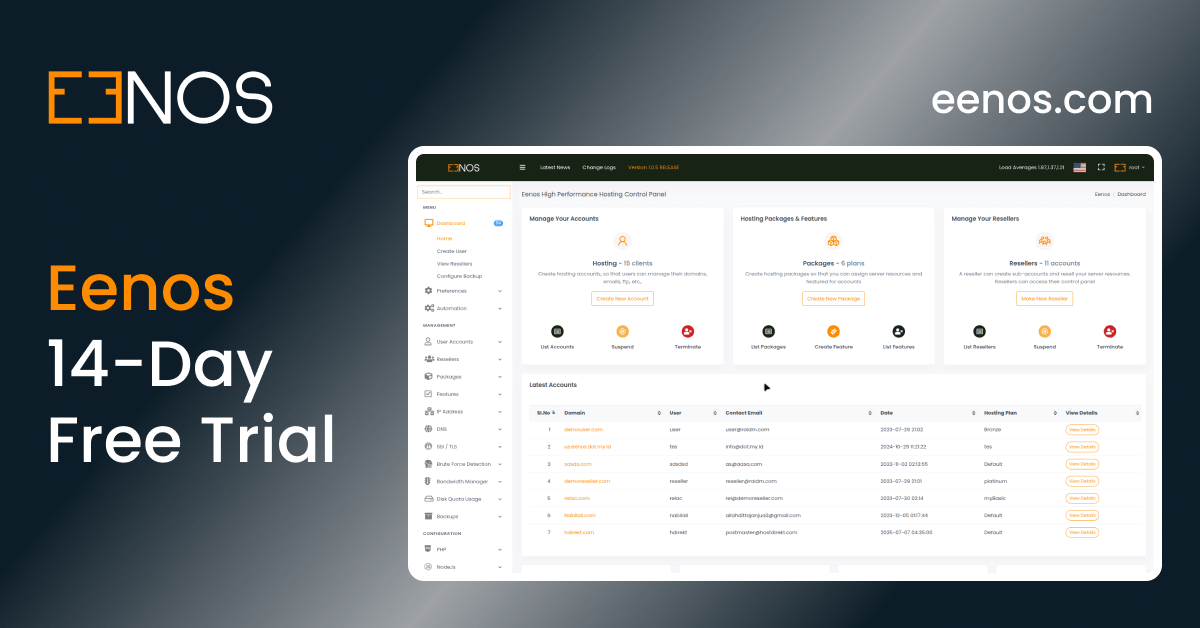
Explore the Eenos hosting control panel, discover the WordPress Toolkit, review its features, or try the 14-day free trial to evaluate the platform.
Comparison: Eenos vs cPanel vs Plesk vs DirectAdmin
| Feature / Dimension |
Eenos |
cPanel |
Plesk |
DirectAdmin |
| Architecture & Technology |
Python, Django, and Django REST Framework with separate WAP, RAPP, and UAPP control panels. |
Established WHM and cPanel architecture with extensive hosting management capabilities. |
Cross-platform hosting management software supporting Linux and Windows servers. |
Linux hosting control panel with administrator, reseller, and user interfaces. |
| Supported Web Servers |
Nginx, Apache, OpenLiteSpeed, and Varnish Cache with standalone and hybrid configurations. |
Apache, Nginx, and commercial LiteSpeed through supported configurations. |
Apache, Nginx, and commercial LiteSpeed on Linux; IIS on Windows. |
Apache, Nginx, OpenLiteSpeed, LiteSpeed, and Nginx with Apache. |
| Application Hosting |
Multiple PHP, Python, Node.js, and Ruby versions with integrated application management. |
PHP with Python, Node.js, and Ruby applications through Passenger and supported packages. |
PHP, Node.js, Python, Ruby, Git, and Docker capabilities through supported extensions. |
PHP hosting with additional application runtimes through supported server configurations and integrations. |
| Application Isolation |
Isolated application environments for Python, Node.js, and Ruby workloads. |
Account separation with additional isolation available through supported tools such as CloudLinux. |
Subscription-based permissions and application isolation through supported extensions and server configuration. |
User-level isolation with additional controls available through CloudLinux and other supported tools. |
| Database Management |
MySQL, PostgreSQL, and MongoDB management. |
MySQL-compatible databases and supported PostgreSQL configurations. |
MySQL, MariaDB, PostgreSQL, and Microsoft SQL Server on supported platforms. |
MySQL and MariaDB management with additional database support depending on configuration. |
| WordPress Management |
Integrated WordPress Toolkit with installation, updates, backups, and WordPress Admin Protect. |
WordPress management through WP Toolkit and supported application tools. |
Comprehensive WP Toolkit with installation, security, updates, staging, and backup features. |
WordPress management through supported installers, plugins, and integrations. |
| Email, Calendar & Contacts |
Email hosting, webmail, spam protection, forwarding, and CalDAV/CardDAV calendar and contact synchronization. |
Email account management, webmail, spam filtering, and calendar/contact services where configured. |
Email hosting, spam protection, webmail, and calendar/contact functionality through supported integrations. |
Email accounts, webmail, spam filtering, and additional calendar/contact services where configured. |
| Backup & Restore |
Scheduled backups, remote storage, and integrated account restoration tools. |
Full and partial backups, scheduled backups, and supported remote storage destinations. |
Integrated Backup Manager with scheduled backups and supported remote storage options. |
Built-in administrator and user backups, scheduled operations, and configurable retention. |
| Security Features |
Automated SSL, brute-force detection, account isolation, and security updates. |
Two-factor authentication, SSL automation, ModSecurity, and supported security integrations. |
SSL management, Fail2Ban, firewall integrations, and additional security extensions. |
SSL automation, brute-force protection, access controls, and supported security integrations. |
| API & Automation |
REST API, automation hooks, command-line tools, and WHMCS integration. |
WHM and cPanel APIs, command-line utilities, and extensive third-party integrations. |
REST API, XML API, command-line tools, and automation extensions. |
API, command-line utilities, hooks, and plugin development support. |
| Pricing & Licensing |
Per-server licensing with no per-account licensing charges. |
License tiers with account limits and additional charges depending on the plan. |
Tiered licensing based on edition, domains, and selected features. |
License options vary by edition, account limits, and deployment requirements. |
| Performance & Resource Management |
Multiple web server configurations, caching options, and resource management tools. |
Apache and Nginx configurations with performance and caching options. |
Web server optimization, caching extensions, and resource monitoring tools. |
Configurable web servers, resource monitoring, and lightweight deployment options. |
| Scalability & User Roles |
Dedicated WAP, RAPP, and UAPP interfaces with reseller and sub-reseller management. |
WHM administrator and reseller management with separate cPanel user accounts. |
Administrator, reseller, customer, and subscription management. |
Administrator, reseller, and user account management with hosting packages. |
| Migration Tools |
Integrated migration wizard supporting cPanel, DirectAdmin, and Plesk account transfers. |
WHM Transfer Tool for supported hosting account and server migrations. |
Plesk Migrator for supported hosting panels and server environments. |
Account backup and restoration tools with supported migration and conversion utilities. |
| Primary Focus |
Linux hosting automation, modern application deployment, reseller hosting, and server administration. |
Established shared hosting, reseller hosting, and server administration ecosystem. |
Website management, WordPress hosting, developer tooling, and cross-platform administration. |
Linux hosting administration, reseller management, configurable web servers, and operational efficiency. |
Each hosting control panel offers different strengths depending on server requirements, supported technologies, licensing, and administrative workflows. Eenos is designed for hosting providers and developers seeking Linux server management, modern application hosting, integrated automation, and flexible licensing. Before choosing a platform, compare the available features and test its compatibility with your hosting environment.
Checklist for Choosing Between Eenos, cPanel, Plesk, and DirectAdmin
The right hosting control panel depends on your infrastructure, application requirements, budget, and hosting business model. Use this checklist to compare the strengths of Eenos, cPanel, Plesk, and DirectAdmin.
- Modern Application Hosting: Need multiple PHP, Python, Node.js, or Ruby versions? Choose Eenos for integrated application management and isolated runtime environments.
- Performance and Server Resources: Looking for a fast, lightweight hosting control panel? Eenos is built for high performance and efficient resource utilization, with flexible web server configurations. DirectAdmin is another option for resource-conscious hosting environments.
- Automation and REST API: Need automated provisioning, custom integrations, or hosting management workflows? Eenos provides a modern REST API, command-line tools, and automation capabilities.
- Reseller Hosting: Running a hosting business? Eenos offers dedicated Admin, Reseller, and End-User interfaces, including sub-reseller management. cPanel and DirectAdmin also provide established reseller hosting capabilities.
- Budget and Licensing: Need predictable licensing costs as your business grows? Eenos offers per-server licensing without per-account charges. Compare total licensing and infrastructure costs across all platforms.
- Security and Isolation: Require hosting account isolation, brute-force protection, and automated SSL management? Eenos combines these capabilities with centralized security administration.
- Linux and Windows Hosting: Need to manage both Linux and Windows hosting environments? Plesk supports both operating systems, while Eenos, cPanel, and DirectAdmin focus on Linux hosting.
- WordPress Management: Managing multiple WordPress websites? Eenos includes an integrated WordPress Toolkit for installation, updates, backups, and WordPress Admin Protect.
- Backup and Disaster Recovery: Need automated backups and remote storage? Eenos provides integrated backup and restoration tools. Compare storage compatibility, backup scheduling, and recovery options.
- Hosting Migration: Moving from cPanel, DirectAdmin, or Plesk? Eenos includes a hosting migration wizard designed to simplify account transfers from these platforms.
- Ease of Adoption: Prefer an established and familiar shared-hosting environment? cPanel is widely used in traditional hosting. For a modern interface with integrated automation and application management, consider Eenos.
Before making a decision, evaluate the control panel using your actual hosting requirements. You can explore Eenos through its 14-day free trial.
Top 10 FAQs About Hosting Control Panels
1. What is a hosting control panel?
A hosting control panel is a web-based management interface that allows users to manage websites, domains, email accounts, databases, SSL certificates, and server settings without manually executing complex Linux commands.
2. Why do I need a hosting control panel for my website?
A hosting control panel simplifies website administration by providing centralized tools for managing domains, email, databases, files, backups, and security. It automates routine hosting tasks and reduces the technical knowledge required for everyday website management.
3. Which is the best hosting control panel?
The best hosting control panel depends on your hosting requirements, budget, and preferred technologies. Eenos is a strong choice for Linux hosting providers and developers seeking high performance, modern application hosting, advanced automation, reseller management, and flexible licensing.
4. How does a hosting control panel work?
A hosting control panel processes user requests through internal APIs, scripts, and system services. These components automatically perform operations such as creating hosting accounts, configuring domains, managing databases, installing SSL certificates, and scheduling backups.
5. Can beginners use a hosting control panel?
Yes. Most hosting control panels provide graphical interfaces that simplify website administration. Beginners can manage domains, email accounts, files, databases, and SSL certificates without extensive Linux server administration experience.
6. Is a hosting control panel secure?
A modern hosting control panel can help improve server security through access controls, brute-force protection, SSL automation, and security monitoring. However, overall security also depends on regular software updates, proper server configuration, strong authentication, and application maintenance.
7. What features should I look for in a hosting control panel?
Essential features include domain and DNS management, email administration, database management, SSL certificates, automated backups, security tools, and resource monitoring. Hosting providers and developers should also consider API automation, reseller management, multiple application runtimes, and migration capabilities.
8. Can I host multiple websites using a hosting control panel?
Yes. Most hosting control panels allow users to manage multiple domains, subdomains, and websites from a centralized interface. The number of websites depends on the hosting package, control panel licensing, account limits, and available server resources.
9. What is the difference between admin, reseller, and end-user panels?
- Admin Panel: Provides server administration, system configuration, hosting account management, and security controls.
- Reseller Panel: Allows resellers to create hosting accounts, manage customer packages, and allocate resources.
- End-User Panel: Enables website owners to manage domains, files, email accounts, databases, applications, and SSL certificates.
10. Does Eenos offer all features of a modern hosting control panel?
Eenos provides comprehensive Linux hosting management with dedicated Admin, Reseller, and User interfaces. Its features include high-performance web server configurations, multiple PHP, Python, Node.js, and Ruby versions, WordPress Toolkit, email administration, database management, automated backups, SSL management, REST API automation, and an integrated hosting migration wizard.
Conclusion: Choosing the Right Hosting Control Panel
A reliable web hosting control panel simplifies server administration, automates routine tasks, improves hosting management, and helps website owners and hosting providers operate more efficiently.
When choosing a hosting control panel, consider performance, security, application compatibility, automation, scalability, and licensing costs. The right solution should meet your current requirements while supporting future growth.
Eenos brings these capabilities together in a modern, high-performance Linux hosting control panel. With dedicated administrator, reseller, and user interfaces, flexible web server configurations, WordPress Toolkit, modern application hosting, and integrated migration tools, Eenos provides a powerful alternative to traditional hosting management platforms.
Explore the Eenos hosting control panel, compare licensing options, or start your 14-day free trial to experience its features.